
🔥 Introduction
MacBook overheating is one of the most common performance issues faced by users today. Whether it is used for work, study, or creative tasks, a MacBook that runs too hot can experience slow performance, loud fan noise, and even long term hardware damage.
This article explores MacBook overheating in detail, explaining why it happens, how to identify the causes, and what practical steps users can take to fix it effectively. The goal is to help users keep their MacBook running cool, stable, and efficient without unnecessary technical complexity.
🧠 Understanding MacBook Overheating
💻 What is MacBook overheating?
MacBook overheating occurs when internal components such as the CPU or GPU generate more heat than the cooling system can handle. When this happens, macOS automatically reduces performance (thermal throttling) to protect the device.
⚠️ Why overheating is a serious issue
If ignored, overheating can lead to:
- Reduced system performance
- Faster battery drain
- Loud and constant fan noise
- Sudden shutdowns
- Long term hardware damage
According to performance studies, sustained heat is one of the biggest factors affecting laptop lifespan.
🔍 Main Causes of MacBook Overheating
⚙️ 1. High CPU and GPU Usage
One of the biggest reasons for overheating is heavy workload. Tasks like:
- Video editing
- Gaming
- Running multiple apps
- Browser tabs overload
These push the processor to its limits, increasing heat production.
🧩 2. Background Apps and System Processes
Even when users are not actively working, background processes can silently consume system resources.
Examples include:
- Cloud syncing apps
- System indexing
- Startup applications
These processes continuously generate heat without user awareness.
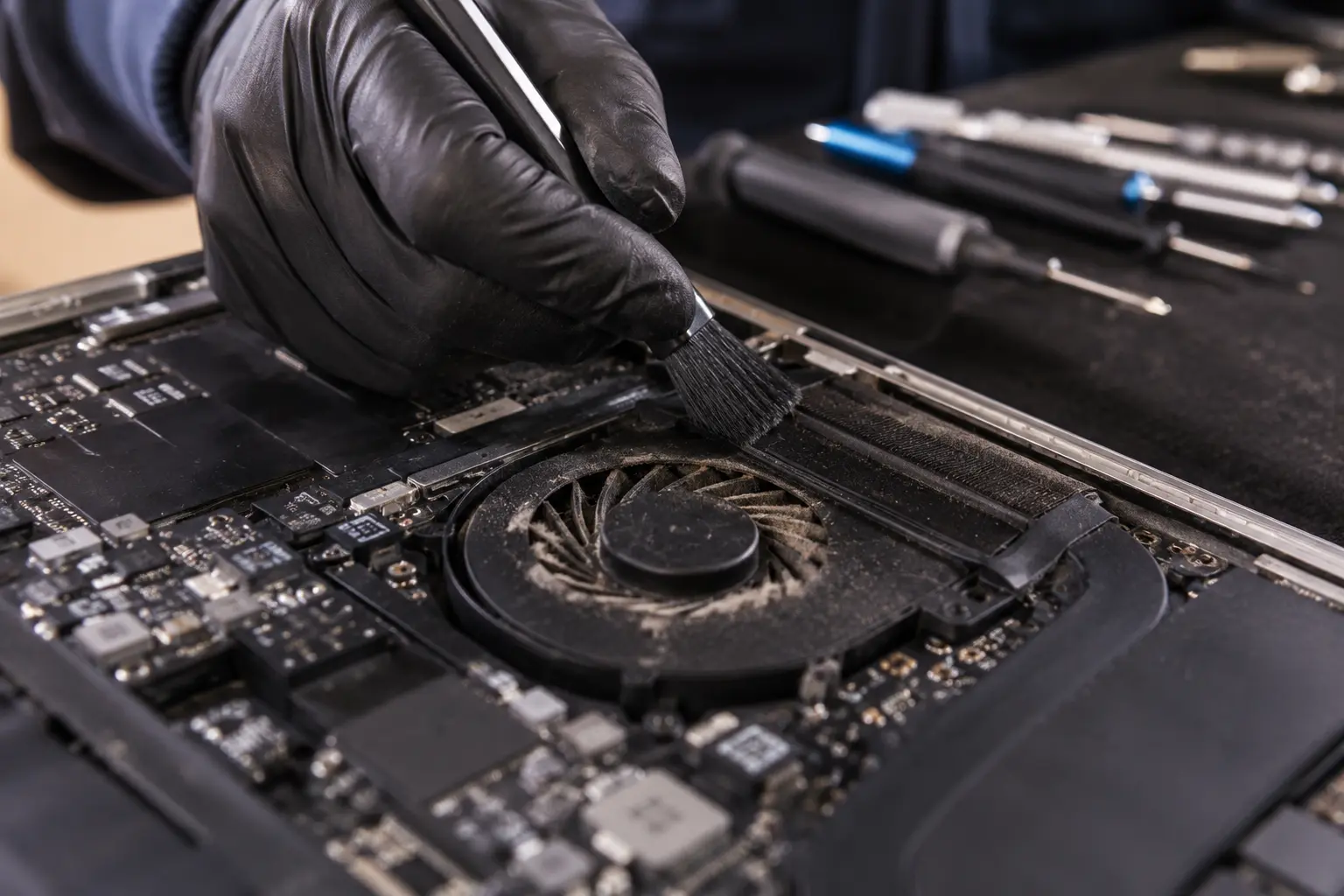
🌬️ 3. Blocked Airflow and Dust Accumulation
Dust and poor ventilation are major hardware related causes of overheating.
- Dust blocks cooling fans
- Air vents become restricted
- Heat gets trapped inside the system
This is especially common in older MacBooks.
🛋️ 4. Poor Usage Environment
Using a MacBook on soft surfaces like beds or sofas can block airflow completely.
This causes:
- Heat buildup
- Reduced cooling efficiency
- Faster internal temperature rise
🔋 5. Aging Battery or Hardware Wear
Over time, battery health and thermal materials degrade, which leads to:
- Extra heat generation
- Poor power efficiency
- Reduced cooling performance
🛠️ How to Fix MacBook Overheating
🔎 1. Monitor Activity Monitor
Users should check CPU usage and identify apps consuming excessive power.
Steps:
- Open Activity Monitor
- Sort by CPU usage
- Close heavy apps
This instantly reduces system load and temperature.
🧹 2. Clean Internal Hardware
Cleaning dust from vents and fans improves airflow and cooling efficiency.
Benefits:
- Better heat dissipation
- Improved fan performance
- Reduced overheating risk
❄️ 3. Improve Ventilation
Simple changes can significantly reduce heat:
- Use MacBook on a flat surface
- Avoid soft bedding or cushions
- Keep room temperature cool
💡 4. Reduce Background Activity
Disabling unnecessary startup apps helps lower CPU usage and heat generation.
⚙️ 5. Update macOS and Apps
Outdated software can cause bugs that increase CPU load and overheating issues.
🔧 6. Use Cooling Accessories
External cooling pads or laptop stands help improve airflow and heat management.
📊 Prevention Tips for Long Term Performance
To keep MacBooks running efficiently:
- Clean vents regularly
- Avoid heavy multitasking overload
- Monitor system temperature
- Keep storage optimized
- Restart device periodically
🧾 Expert Insight
From a technical standpoint, MacBooks are designed with advanced thermal systems, but they still depend heavily on airflow and workload management. Most overheating issues are not hardware failures but usage related inefficiencies.
With proper maintenance and optimization, most users can significantly improve performance without replacing their device.
❓ Frequently Asked Questions (FAQ)
Why does my MacBook overheat so easily?
Because of high CPU usage, blocked vents, or background processes running continuously.
Is MacBook overheating dangerous?
Yes, if ignored for long periods it can damage internal components and battery health.
Can cleaning my MacBook really help?
Yes, removing dust improves airflow and reduces heat buildup significantly.
Do software updates fix overheating?
Sometimes, yes updates often fix system bugs that cause high CPU usage.
🧠 Final Thoughts
MacBook overheating is a manageable issue when users understand its root causes. By combining proper usage habits with simple maintenance steps, users can significantly improve performance, reduce heat, and extend the lifespan of their device.
Instead of replacing the MacBook, optimizing its hardware environment and system load often delivers the best results.
Leave a Reply